-
-
Favorite items
One-click search!Register keywords and categories to save in your search criteria.
Check new information on frequently used keywords at any time!
-



Easy to use!
First, after logging in try to search for the item you want
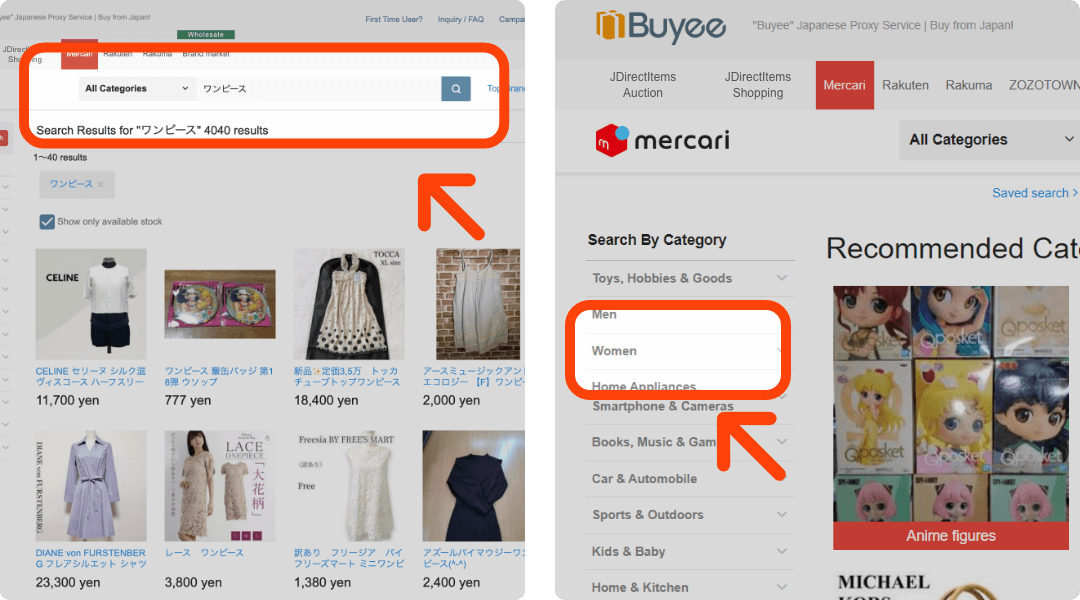
Enter keywords in the search window or click on the left menu category list
The ‘Save this search’ button is displayed at the bottom of the search results screen.
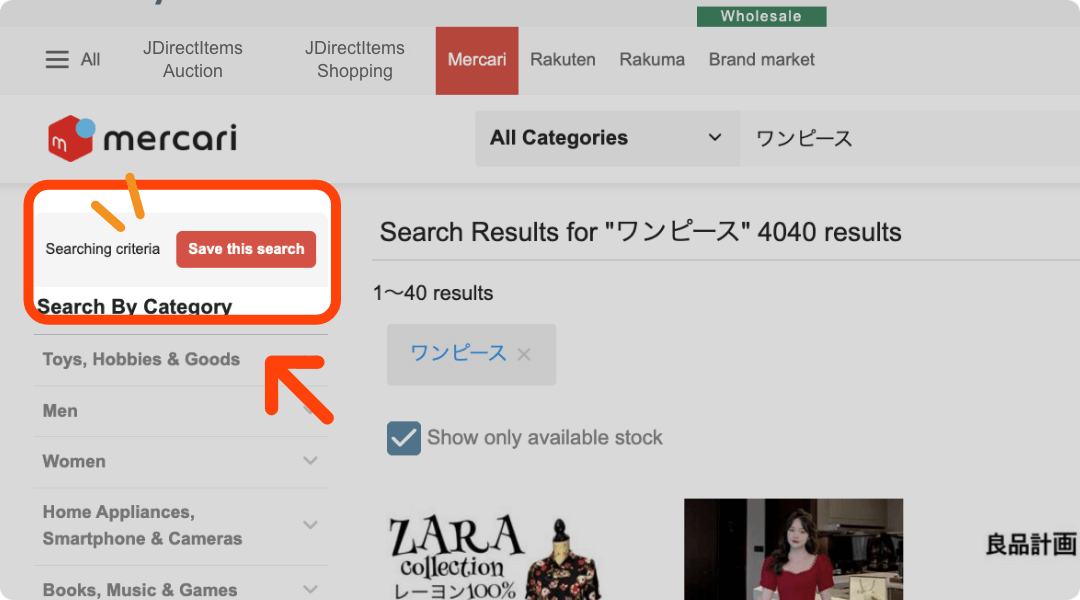
A “Save this condition” button will appear above the category menu on the left.
Save your search criteria. Next time, it will be displayed with one click!

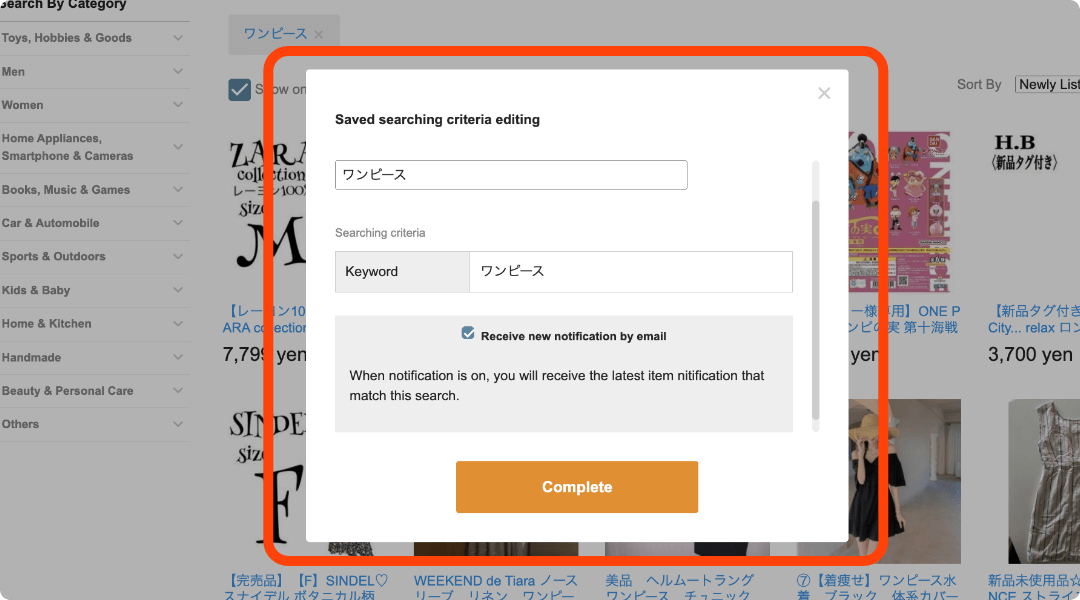
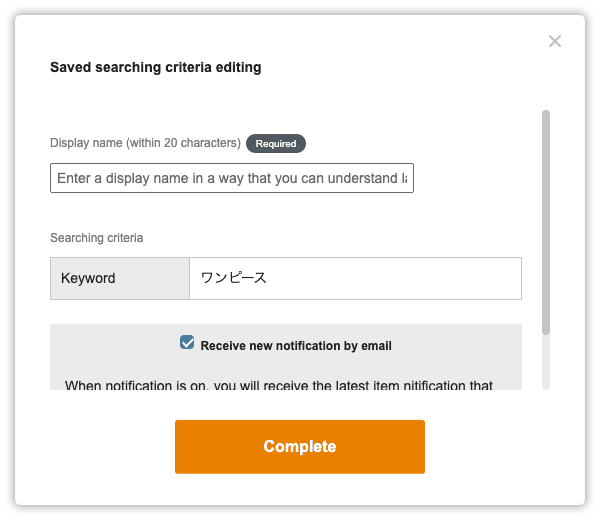
The “Set to Save Search criteria” will appear. Please include a title that you can easily identify.
*Please fill in the display name.
Your saved keywords will be displayed here!
Clicking the ‘X’ will unsave the keyword and stop email notifications. To use it again, you will need to save it one more time.
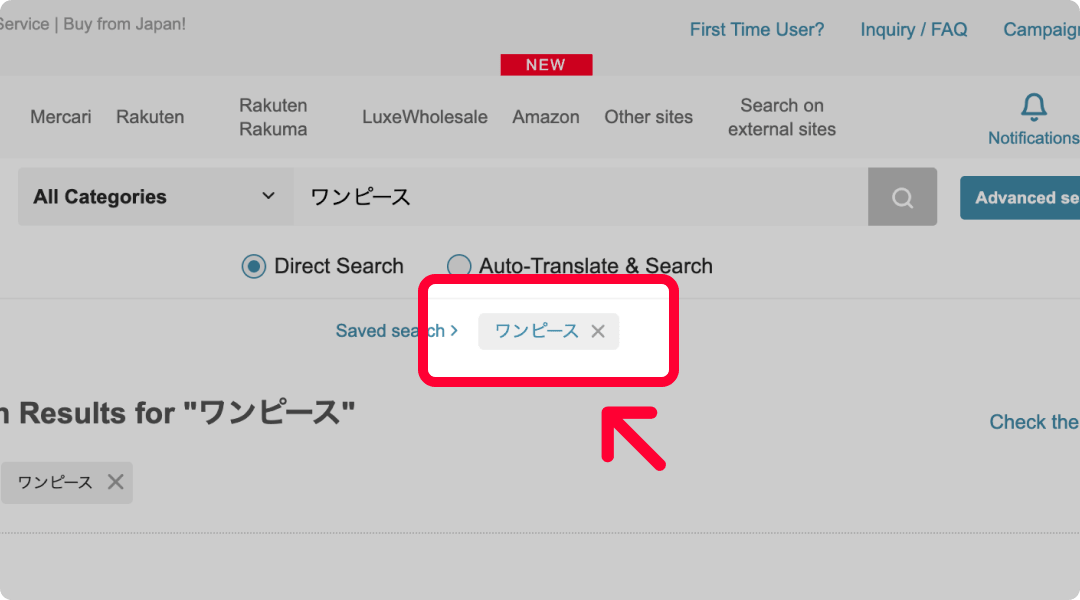
Your saved keywords are displayed below the search bar.
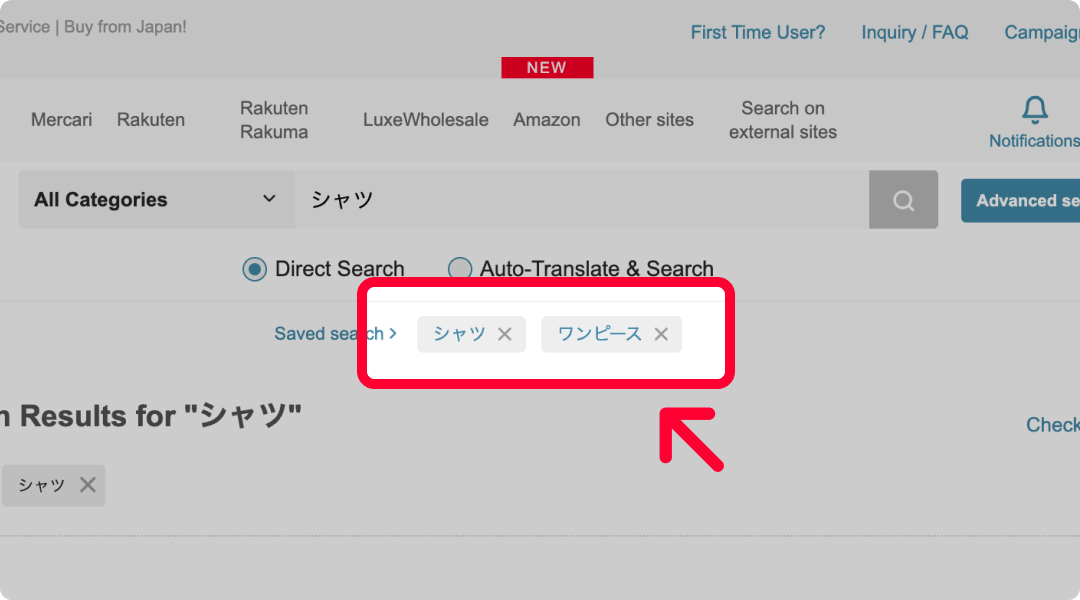
Saving additional criteria will add more keywords to the display.
Easy to edit your search criteria
Edit your saved keywords to refine your search results! It also makes it easier to find the latest information on your favorite products.
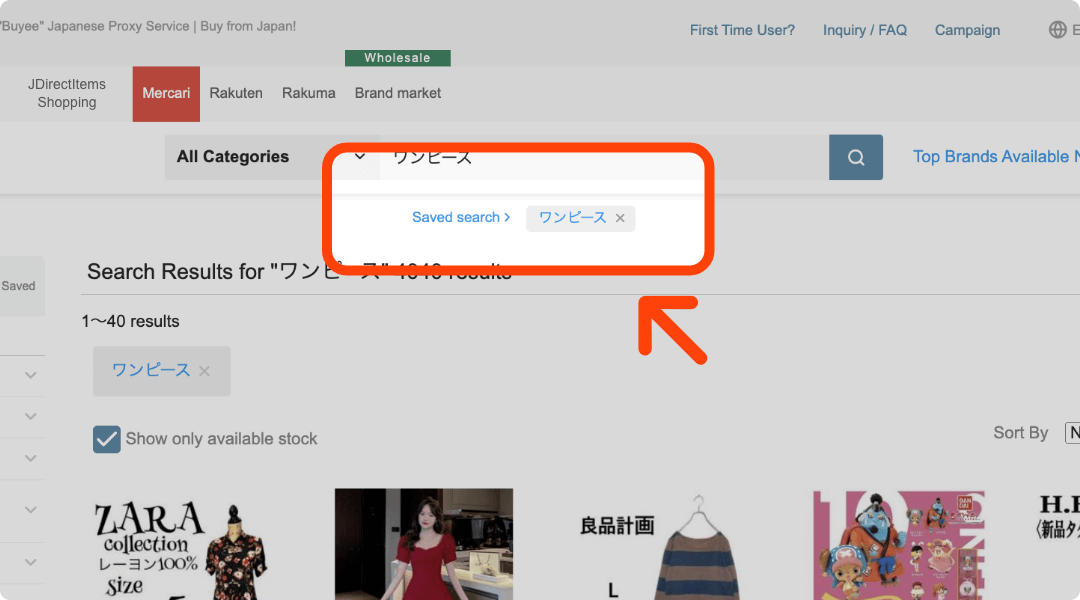
The saved information is saved on top. Click on “Saved Search Results” on the left.
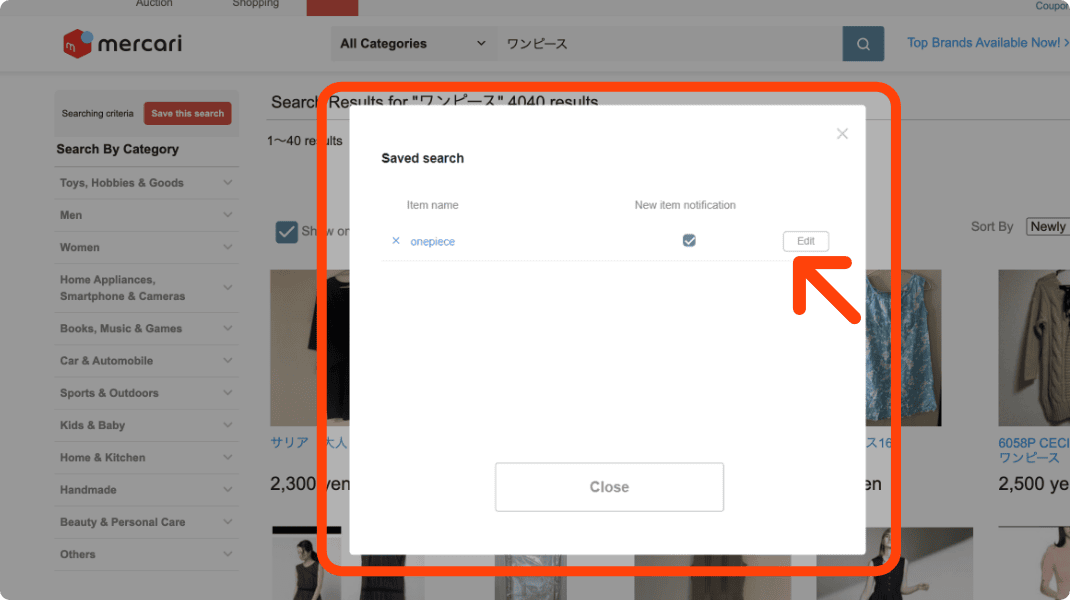
You can see a list of saved search criteria. The Edit button allows you to change the keyword and email settings.
Notify of new arrivals by email!
Once a day, receive information about newy published items

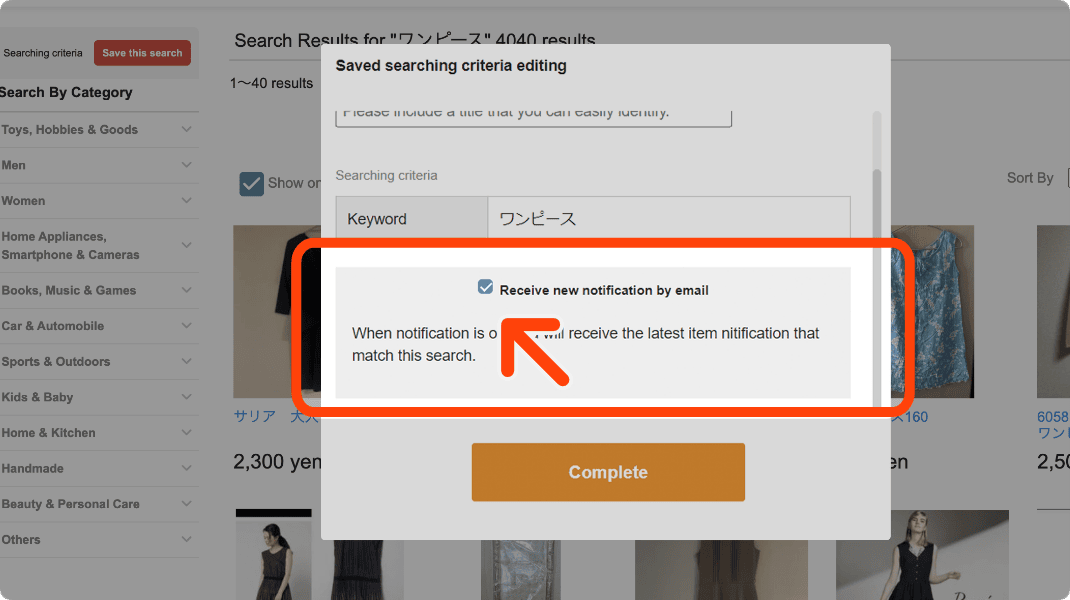
If you click on [Receive notifications of new arrivals by e-mail], You will receive an email once a day with the latest items that match your criteria! Removing the search criteria will also stop the email notifications.
Convenient keyword saving function!
Try and save your own search criteria!