
Send items you want
straight to
Buyee

Just send the product page URL.
Even if the store isn't listed on Buyee, we'll purchase it on your behalf and deliver it.
*We review each request to confirm the item can be purchased.
What you can do with Order with URL
Buy items from stores we don't support yet!
Even for stores Add to Buyee App doesn't support, there are many stores you can buy from through an Order with URL request. Purchasable items are added to your dedicated Order with URL cart.

No need to search for items or stores!
Just send the product URL through the dedicated form! There's no need to search within Add to Buyee App. For app-supported stores, the item is added to your Buyee cart.
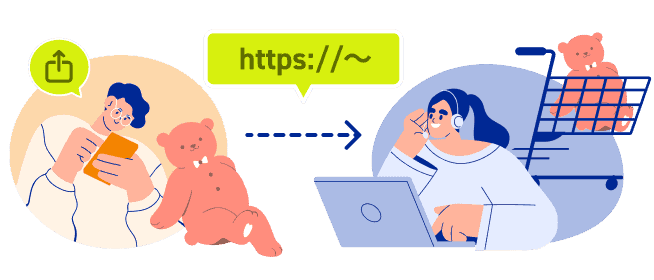
You can submit a URL
in two ways
Send it right when you find the item, or save it for later.
Recommended
No need to copy the URL
Send via your browser's share button
While viewing a product page, tap the share button in Safari or Chrome and select "Buy with Add to Buyee." The Order with URL Request Form in Add to Buyee App opens with the URL already filled in, so you can submit a product confirmation request right away. After you submit it, we'll check whether Buyee can support the purchase.
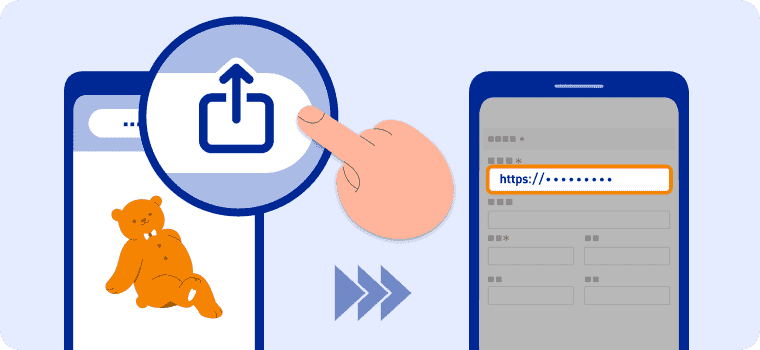
If Add to Buyee App supports the store, the store page opens automatically within the app — just select the quantity and add it to your Buyee cart.
Request in bulk
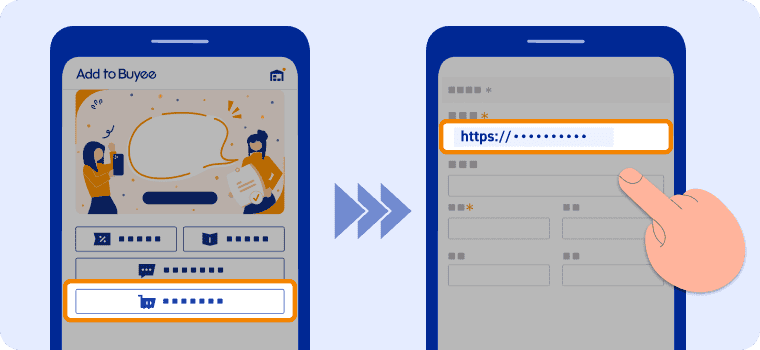
Send via the app's form
If you already have the URL, paste it into the app's Order with URL Request Form and send it. You can also request items you'd saved to buy later, all at once.

After sending, just wait!
Our staff will review your request and let you know the result (usually within 3 days).

Frequently Asked Questions
Are there items that can't be purchased?
Some items can't be purchased. If the URL doesn't open, or the color or size can't be confirmed, we may be unable to purchase on your behalf — please make sure to enter accurate information in the form. As with other Buyee purchases, prohibited items are also not eligible for proxy purchase.
Can I request from any store?
Only e-commerce sites within Japan are supported. Some e-commerce sites with purchase restrictions may not be supported.
How long does the review take?
We usually confirm whether the item can be purchased within 3 days and let you know the result.
How will I know the result of my product confirmation request?
We'll notify you via push notification and email from Add to Buyee App. You can also check from My Page.
Am I charged when I send the URL?
No fees are charged when you send the URL and submit a product confirmation request. Once the item is confirmed as purchasable, you can decide whether to proceed with a proxy purchase request. Fees — the item price and purchase support fee — apply only when you make the proxy purchase request.
Can I send multiple URLs at once?
Yes, by entering them one at a time in the Order with URL Request Form, you can request multiple URLs together.
What's the process for Order with URL through Add to Buyee App?
STEP1: On the page of the item you want to buy, found on your phone, tap the share button in Safari or Chrome and select "Buy with Add to Buyee."
STEP2: Enter the product details in the Order with URL Request Form, and we'll check whether we can support the purchase.
STEP3: Based on the information you provide, our Buyee staff will review it. We'll let you know whether purchase support is available via push notification, My Page, or email.
*You can also reach the Order with URL Request Form from "Buy via URL" within Add to Buyee App.
Let's send your first one now